Install
Install Quell for your device
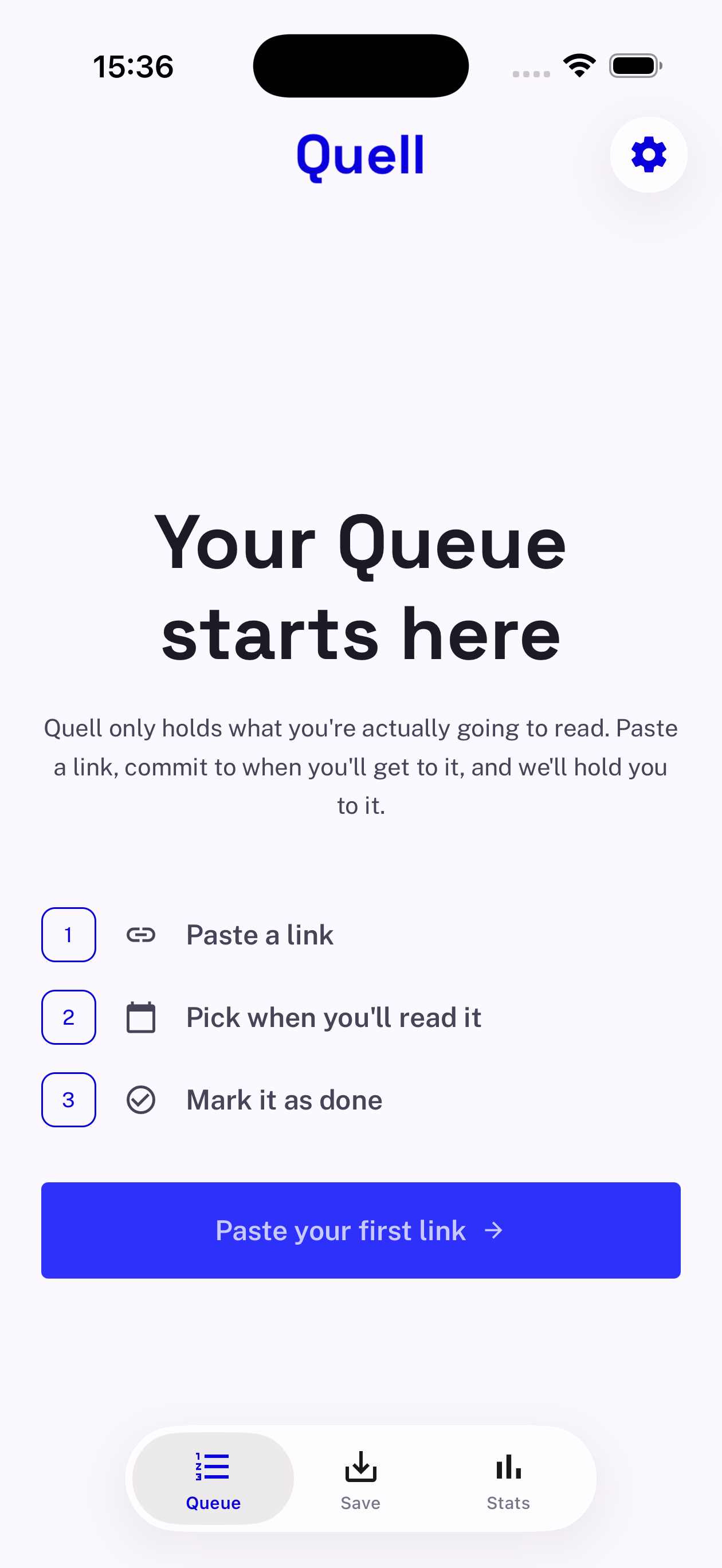
Pick your platform below. Setup takes about a minute: choose a queue limit, paste your first link, and commit to when you'll read it.
Free · iOS 15.1+ and Android 7+ · 24 MB
Choose your platform
We’ll detect whether you’re on iOS or Android and open the right store.
Download Quell

Your first minute in Quell
-
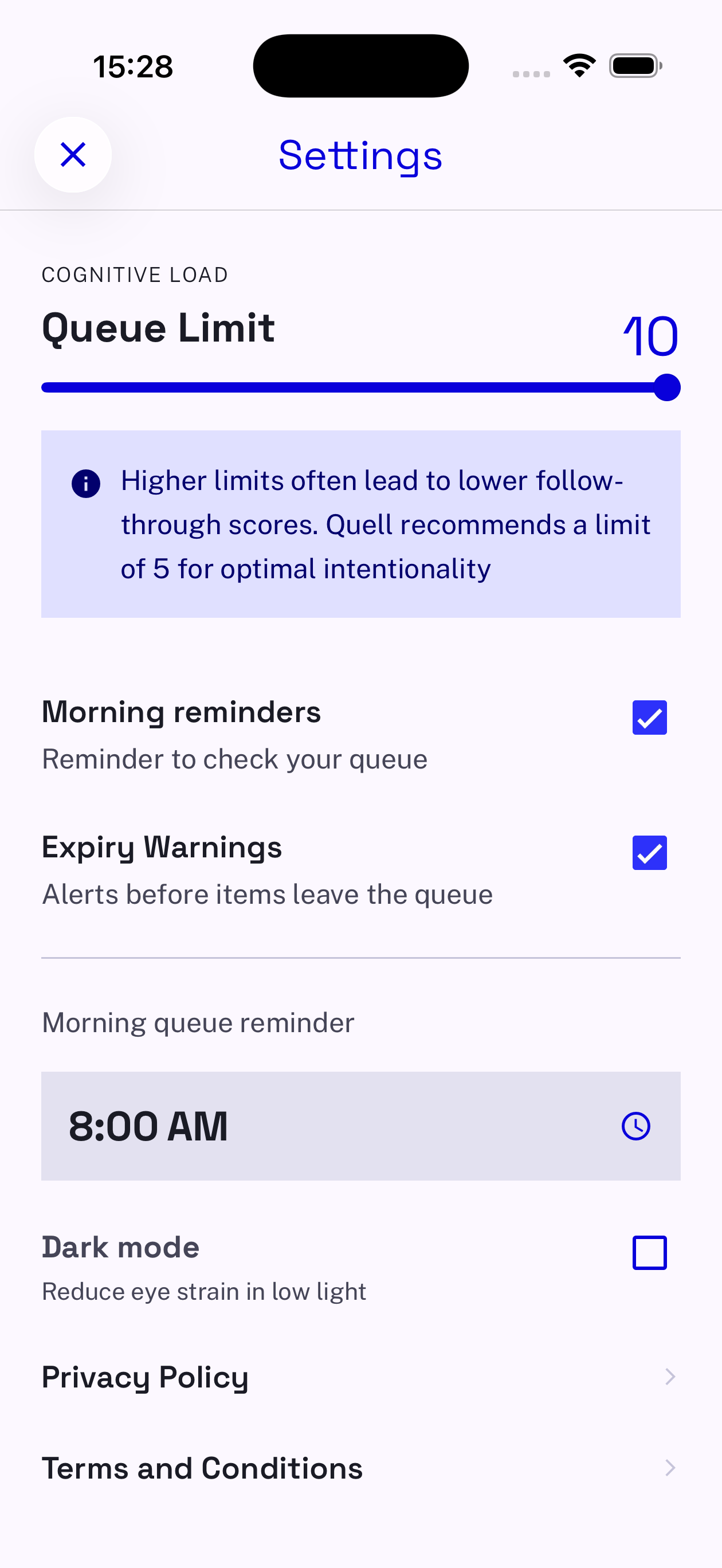
Set your ceiling
Pick a queue limit between 3 and 10. Quell recommends 5. Higher limits often mean lower follow-through.
-
Paste your first link
Quell analyses the title, writes a short summary and estimates how long it will take you.
-
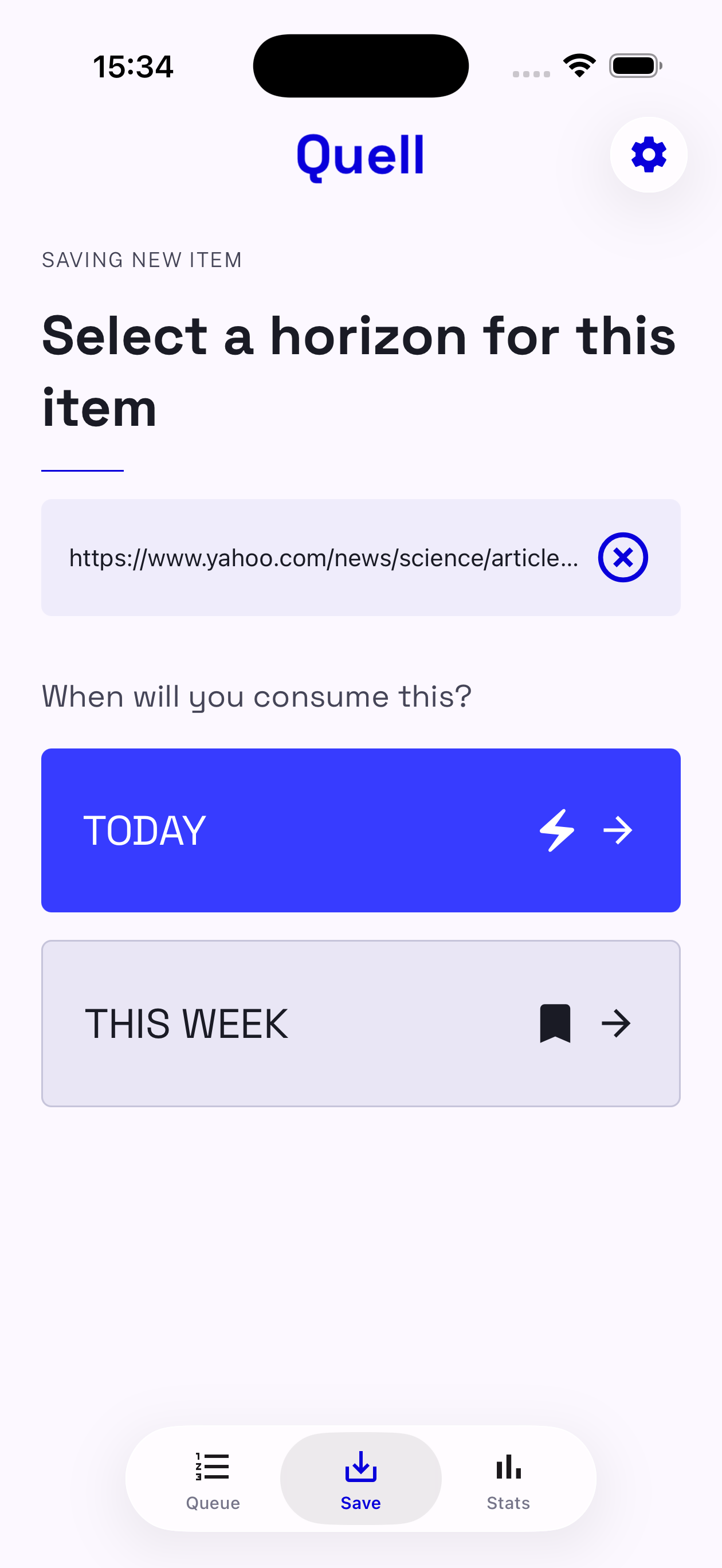
Commit: today or this week
That choice is a deadline. Unfinished items expire on their own, you never have to clean up.
-
Turn on two reminders
A morning nudge to check the queue, and a warning before anything expires. Nothing else.
Before you install
What happens when my queue is full?
You can still paste a link and read the AI analysis, but saving is blocked with a clear “queue full” message. Consume something or let it expire to make room.
Can I raise the limit?
Up to 10, in Settings. Quell will tell you honestly that higher limits usually mean lower follow-through — then let you decide.
Do expired items come back?
They move out of the queue and into your monthly stats as expired. If it still matters, save it again deliberately.
Is there an import from other read-later apps?
No, deliberately. Importing a thousand saved links would rebuild the attic Quell exists to replace.